Machine Learning?

Some of my friends were talking about “machine learning,” and then I saw it in the news. Today I looked up the term. The definition seems to be at the cutting edge of technology in the sense that the definition still varies depending on the application, and might not be the same everywhere.

Machine Learning...

Disclaimer aside, I watched a preview of a course by Stanford professor, Andrew Ng, available through Coursera.com. As Ng defines it, “machine learning is the science of getting computers to act without being explicitly programmed.” He explained that, for example, someone with programming experience but little skill at a board game such as Checkers could teach a machine (computer) to learn to win at Checkers ( Arthur Samuel 1959).

One description of machine learning that Ng presented distinguishes three elements used to teach a machine to learn. 1) Experience: games of Checkers based on rules and a program written by a programmer. 2) Task: win at the game of Checkers. 3) Performance: probability the machine will win the next game of checkers. My understanding is that because a machine doesn’t need to spend time on human activities, it can then spend all of its time sorting out better ways to improve the probability of success at a given task. Thus, if we program intelligently enough, machines have the potential of becoming much better at a task that a human, and much faster too.


My question is how much of your time would you invest preparing something to learn to do a particular task better than you? Let’s say the task itself would take you three hours to complete normally and you have to do it at least once a month. Another take on it: if you take on an apprentice in your profession, then how much of your time would you expect them to require before exceeding your abilities? In stories it seems like it’s well after the professional / mentor / teacher passes away. Computers would take a relatively short amount of time to “experience” a given task. What do you think about this “machine learning?”

The name Andrew Ng sounded familiar to me, so I checked out his homepage and it set me hopping down a rabbit-hole. Go ahead and hop in for yourself if you’re looking for Delivery O2Oentertainment: Online to Offline is abbreviated as O2O and Andrew Ng explains the idea here (YouTube video). The video peaked my interested because I heard via LinkedIn’s Daily Rundown for today that Amazon is making deliveries to people’s car trunks! #AmazonCarDelivery


#MachineLearning, #TechnologicalAdvancement, #AndrewNg, #LinkedInDailyRundown
 

Ancestry DNA Follow-Up

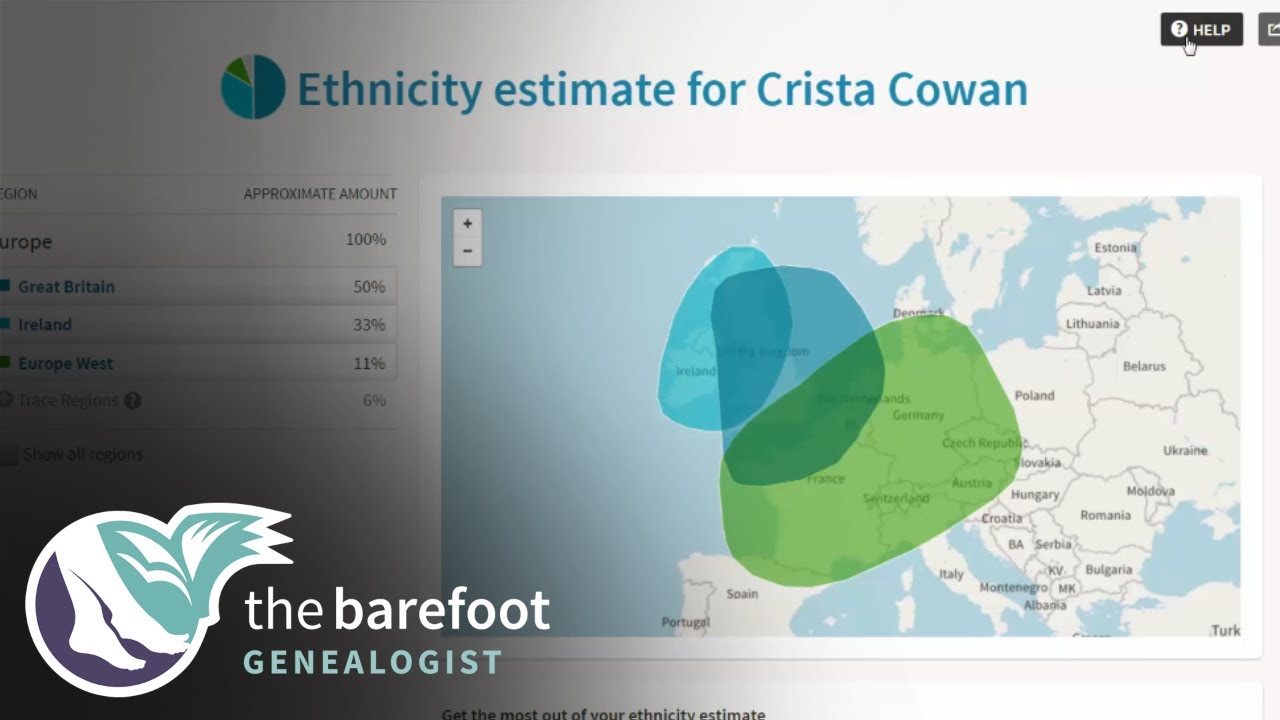
This is a follow-up to another post I made about Ancestry because the same patron returned to the library when her DNA result came in! We navigated to the website and eventually found where we wanted to be:

Image result for ancestry dna

We got to a listing of regions her genes originated and also when people with DNA matches migrated across the big blue wet thing. She was quite delighted to have this information and interested to find that some regions were not as prominent as she expected, or vice versa: some regions were more prominent than she expected. All in all, a DNA study seems like a neat thing to do, but doesn’t give as much detail as I would hope unless you can pair it with a well established family history or you’re intent on developing one. Happy researching and appreciating of the insight science can provide into our history!

People Who Tried a Green Screen Saturday…

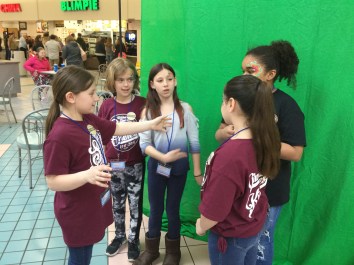
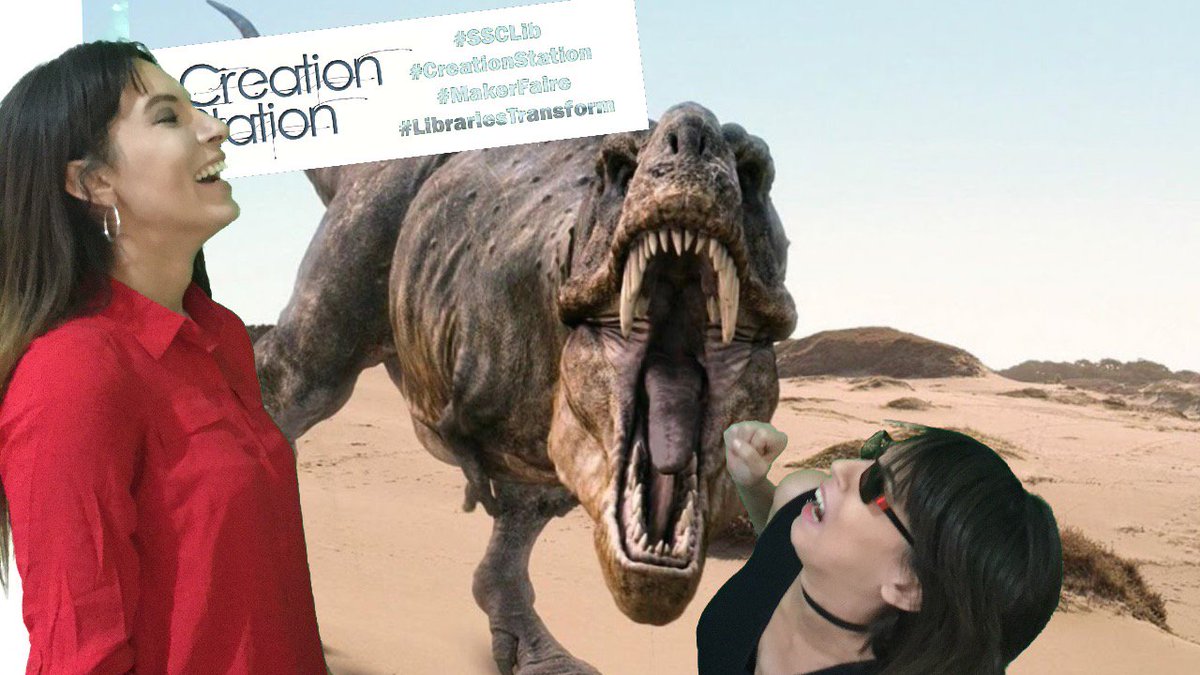
Our green screen at the Twin Tiers Mini Maker Faire was a hit again this year! It yielded over 75 fantastic expressions; check them out at our Twitter page: https://twitter.com/SSCLibCorning/media.

Volunteers at the beach
At the “beach”
Markerfaire Green Screen Example.JPG
Behind the scenes

#ssclib #makerfaire

Try a Green Screen Today!

Have you ever tried a green screen? Apps make it so easy these days. We’re using an app called Do Ink at the Twin Tiers Mini Maker today. Check it out if you are in the area!

Here are some examples from last year:

#makerfaire

Witnessing Firsts

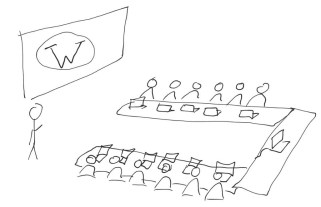
You know the stereotypical teenagers texting each other in the same room? Well, I had that moment at work recently when a couple of mature women asked me about texting. They realized one could text the other while walking in the woods: texting-each-other-sketch.jpg
“Haha, yes, I could say, ‘there’s bear after me!'”
“Oh–you could even take a picture of the bear and text it to her.” We had quite nice little laugh. To get a hang of texting, they promptly sent a message to one another.

Perhaps the most endearing part was when they–almost in unison– remembered something they had asked about in our last lesson: how to delete call history, emails, messages, etc. About their recent text messages they said, “and now we can delete them!”

The epiphanies are entertaining and delightful when someone tries technology for the first time as in texting or video-conferencing. These two ladies informed me that they tried Facetime for the first time since our last session. They were tickled to be able to see and speak with a relative who is out on a boat in one of our country’s gulfs. Video-conferencing in unusual places highlights how much each of us are amateur journalists for one another. Happy reporting, sharing, and exploring! And remember to take a moment to expand someone’s technology horizon’s with your own moment of “did you know you can… !?”facetime.jpg

WordPress, Self-Hosted

Wordpress Workshop

At the end of March we hosted a WordPress website workshop with Andrea QasGuargis of andreaq.com. She had excellent points for anyone starting out and the know-how to respond off-the-cuff to deeper questions. We hope to utilize her skill in future workshops.

Andrea handled our group of thirteen in an hour-and-a-half workshop by describing all of the starting elements and by showing us a really neat Softaculous Wodpress Demo that I think you’d want to check out if you’re learning WordPress or considering it! To get started, you’ll need a web address (domain name), a hosting service, the free WordPress software (@wordpress), and a theme to get started using this powerhouse website tool that’s at least as flexible as you.

Additional learning resources suggested by Andrea:

#Wordpress

That’s How I Scroll

How many ways are there to scroll up/down on a webpage?

    1. if_icon_21_one_finger_swipe_down_329392By touchscreen: slide one finger up or down the screen where you’d like to see more.

    2. if_Mouse_1214978By mouse: place the cursor where you see the current text/image(s) and then roll the wheel in the middle of the mouse.
    3. if_icon_11_two_fingers_swipe_down_329361By trackpad: place the cursor where you see the current text/image(s) and then slide two fingers up or down the right side of the trackpad surface.
    4. ArrowKeysBy keyboard: make sure the computer knows where you’d like to scroll (give focus by clicking in the window you’d like to see more from), and then press the up or down arrow keys

if_ic_keyboard_voice_48px_352475

  1. By voice command: varies depending on device

What did I miss? How would you explain it to someone who doesn’t know? Let us know in the comments or share on social media!

If you or someone you know stumbles over the word cursor, checkout my computer basics reference sheets: https://sscltech.com/2018/03/10/computer-basics-reference-sheets/


Freegal Music!

Does your library subscribe to Freegal?

freegal

Ours does here in Corning, NY.  It’s great, and here’s why:

A) Free music

B) You get to keep it

C) Diverse library of music

Plus, it’s available for pretty much any internet-enabled device.

Find your library @FreegalMusic: https://www.freegalmusic.com/homes/chooser

#FreeMusic, #LibrariesRock

My Virtual Reality Experience

On Thursday I attended Ed. Tech. Day at Ithaca College. It’s a free event designed for educators to keep informed about technological advancements for educational applications. I had the honor of spending a few minutes under the influence of the HTC Vive virtual reality (VR) headset and paddles. I say under the influence because the virtual program to which I was transported seemed so serene that the surrounding sounds faded out of focus (the bustling hubbub of vendors packing up or attendees anxious to learn or get free).

At first I was concerned by warnings that VR can trigger motion sickness–that occurred to me right after I boldly requested to have a try at it. I was glad to find that the fairly static images in the program, and optional rotation of the model, was not especially unsettling after the initial orientation. Rather, I was impressed by the way my brain interprets visual and sound cues differently when they don’t go together. As a learner who is easily distracted, I very much appreciated settling into a space that I could have this close and sort of private interaction with a learning tool and have my brain  disregard the crowd.

I feel sorry that I didn’t have someone take pictures. I’m sure I would have at least one if more of our staff were able to come, but in lieu of photos I made a couple of rough sketches. The first one is of the setup where I was corralled off a little and had an attendant explaining the system to me as I used it. I think she was able to see roughly what I saw using a monitor laptop nearby.

notes_180323_134957_cf7_1.jpg
HTC Vive or quarantined to play maracas blindfolded

The second sketch is very primitively what it looked like inside the HTC Vive; there was a brain, or a heart, eye, or a set of lungs the size of me! I could turn it, toggle labels on and off, and cycle through a series of models and section views that make it easier to see particular parts of each organ.

Notes_180323_134957_cf7_1
Can you see how this could be a model of a healthy brain?

In short, this VR headset seems to be a great learning tool that I think library patrons would really benefit by if we can swing the cost, the staffing, and the sanitation methods (they had a tissue that skirted the bit of the mask that touches your face, but it’s clearly not ideal). These systems are made for homes, for individuals, but not everyone is going to be able to access the market–at least not for a long while.

I know I reference PC Mag a lot, but here’s their 2018 rundown of VR headsets: https://www.pcmag.com/article/342537/the-best-virtual-reality-vr-headsets 

@HTCvive: https://www.vive.com/us/

#VRreview

Computer User Vignette

Some time ago, I wrote this next passage to adequately share a patron’s comment with my library director. I wanted to spend a little extra time on it because he’s such a consistent patron and one that I thought could represent our computer user visitors. Recently, I had the patron read the paragraph or so that I  had written. The patron was overjoyed, he thought I really managed to summarize  him quite articulately–and in only one paragraph! He said he’d be honored to see it posted online. So, here goes, a vignette of one of our regular computer users:

if_user_50702Rocky would like us to be open Sundays again because he is losing out on some important opportunities. A collector if ever I met one, Rocky is a self-proclaimed home-body who patronizes the library for the almost sole purpose of using the computer. He visits auctions and auction websites to develop his collection of 45” rock and roll records. Investments have gone well enough that he not shy of price as long as it’s not over-paying and the artist seems significant. Rocky’s record collection may be one of the largest of its kind; he tells me that when he’s at trade shows or auctions he gets attention from collectors from all over the world. Some ask, “What’s Rocky going to do with all his records?” Well, he’s going to continue developing as long as he can until he finds someone who will archive the records to his credit or carry on developing the collection in his name. If 45’s aren’t your thing, he’s also adding to his collection of Lionel model trains and period automobile magazines.

#LibraryStories