Adult Services, Digital Literacy & Makerspace Events Week of November 2, 2015

Monday, November 2, 2015:

Creation Station, The Southeast Steuben County Library’s Makerspace, open from 10:00 a. m. – 12:00 p. m. on Mondays.

About Creation Station:
Creation Station (Makerspace) projects that will be available to be created at the Southeast Steuben County Library include:

3 D Printer created projects*

Computer created projects

Sewing projects*

Scanning projects (photos, slides, documents)

Art projects*

Scrapbooking projects*

Drawing

All patrons interested in using the Creation Station will be required to receive training before using the space. Projects that require training are only accessible upon staff availability.

Tuesday, November 3, 2015:

Creation Station, The Southeast Steuben County Library’s Makerspace, open from 3:00 – 5:00 p. m. on Tuesdays.

About Creation Station:
Creation Station (Makerspace) projects that will be available to be created at the Southeast Steuben County Library include:

3 D Printer created projects*

Computer created projects

Sewing projects*

Scanning projects (photos, slides, documents)

Art projects*

Scrapbooking projects*

Drawing

All patrons interested in using the Creation Station will be required to receive training before using the space. Projects that require training are only accessible upon staff availability.

*Some projects will require a small fee for materials.

Thursday, November 5, 2015:

Corning Area Writer’s Group: Inject some socialization into your solo writing time by join the library’s Adult Creative Writers Group for conversation, inspiration and feedback on writing projects. No sign up is required. This group meets every Thursday from 6-8 pm. On the third Thursday of the month the group meets in the library. On the other Thursdays the group meets at Soul Full Cup CoffeeHouse.

For more information, please call Adult Services Director Michelle Wells at (607) 936-3713 ext. 209 or email wellsm@stls.org.

Time: 6:00 – 8:00 p. m.

Spin a Yarn! Bring in a knitting or crochet project you are working on, get instructions or help or use club materials to make something for a greater good. For more details, call (607)936-3713. All skill levels welcome.

Time: 6:00 – 8:00 p. m.

Creation Station, The Southeast Steuben County Library’s Makerspace, open from 5:00 – 7:30 p.m. on Thursdays.

About Creation Station:
Creation Station (Makerspace) projects that will be available to be created at the Southeast Steuben County Library include:

3 D Printer created projects*

Computer created projects

Sewing projects*

Scanning projects (photos, slides, documents)

Art projects*

Scrapbooking projects*

Drawing

All patrons interested in using the Creation Station will be required to receive training before using the space. Projects that require training are only accessible upon staff availability.

*Some projects will require a small fee for materials.

Friday, November 6, 2015:

Friday Night Free Film: Foxcatcher (2014): Based on true events, “Foxcatcher” tells the dark and fascinating story of the unlikely and ultimately tragic relationship between an eccentric multi-millionaire (Steve Carell) and two champion wrestlers (Channing Tatum and Mark Ruffalo). Directed by Academy Award nominee Bennett Miller (2005, Best Director, “Capote”) it is a rich and moving story of brotherly love, misguided loyalty, and the corruption and emotional bankruptcy that can accompany great power and wealth.

Foxcatcher was nominated for five Academy Awards including Best Actor, Best Supporting Actor, Best Director, Best Original Screenplay, and Best Makeup. MPAA Rating: R. Run Time: 134 minutes.

http://www.imdb.com/title/tt1100089/?ref_=fn_al_tt_1

Time: 7:00 – 9:44 p. m.

Library doors open at 6:45 p. m. to admit film-goers and the movie starts at 7:00 p. m. sharp.

Available Throughout The Week: One-On-One Personal Technology Appointments: You can make an appointment with a member of the Library’s Digital Literacy Services staff as an individual or for 2-4 people to learn how to use a new computer, Mac, e-reader, tablet, smartphone, email, The Internet or a variety of software including the Microsoft Office Suite & Skype at a variety of times throughout each month.

This is a free service the library offers!

To make an appointment call the library at: 607-936-3713 x 502 or send an email to us at the following email address: DIGLIT@STLS.ORG

Have a great week!
Linda, SSCL

Summer Reading Season Digital Literacy Services Raffles Week 4

Our Summer Reading Program Season is quickly passing by!

Check out our programs, all of which may be seen on the Calendar section of our website located at: http://ssclibrary.org/Calendar.html

And stop by the Reference Desk and ask us about our new Makerspace, Creation Station, and fill out a raffle ticket to win one of our weekly gift bags! (and this week we have three of them as seen in the photos!) You can also drop by Creation Station during our summer hours of operation which are:

Tuesdays: 1 – 4 p.m.

And Thursdays: 5 – 8 p.m.

Have a great day!

Linda, SSCL

Note: If you click on the photos you’ll get a larger view!

Dig Lit Summer Reading Raffle Poster Week 4 July 25, 2015 James Taylor CD Bonus Raffle Poster Letter Size

Personal Technology (Digital Literacy) Programs @ The Library: August 2015

Here is a listing of our upcoming Personal Technology, AKA Digital Literacy, programs — for August 2015.

Also included on the list is a description of our new Makerspace, Creation Station, and its hours of operation for August.

Check it out!
Linda, SSCL

P.S. Feel free to print off and share copies of this flyer — just note it has been created to print on a legal size sheet of paper.

Here’s a photo of the flyer:

SSCL Digital Literacy Services Programs August 2015

And a link to a PDF version:

SSCL Digital Literacy Services Programs August 2015

Have a great weekend!

Linda, SSCL

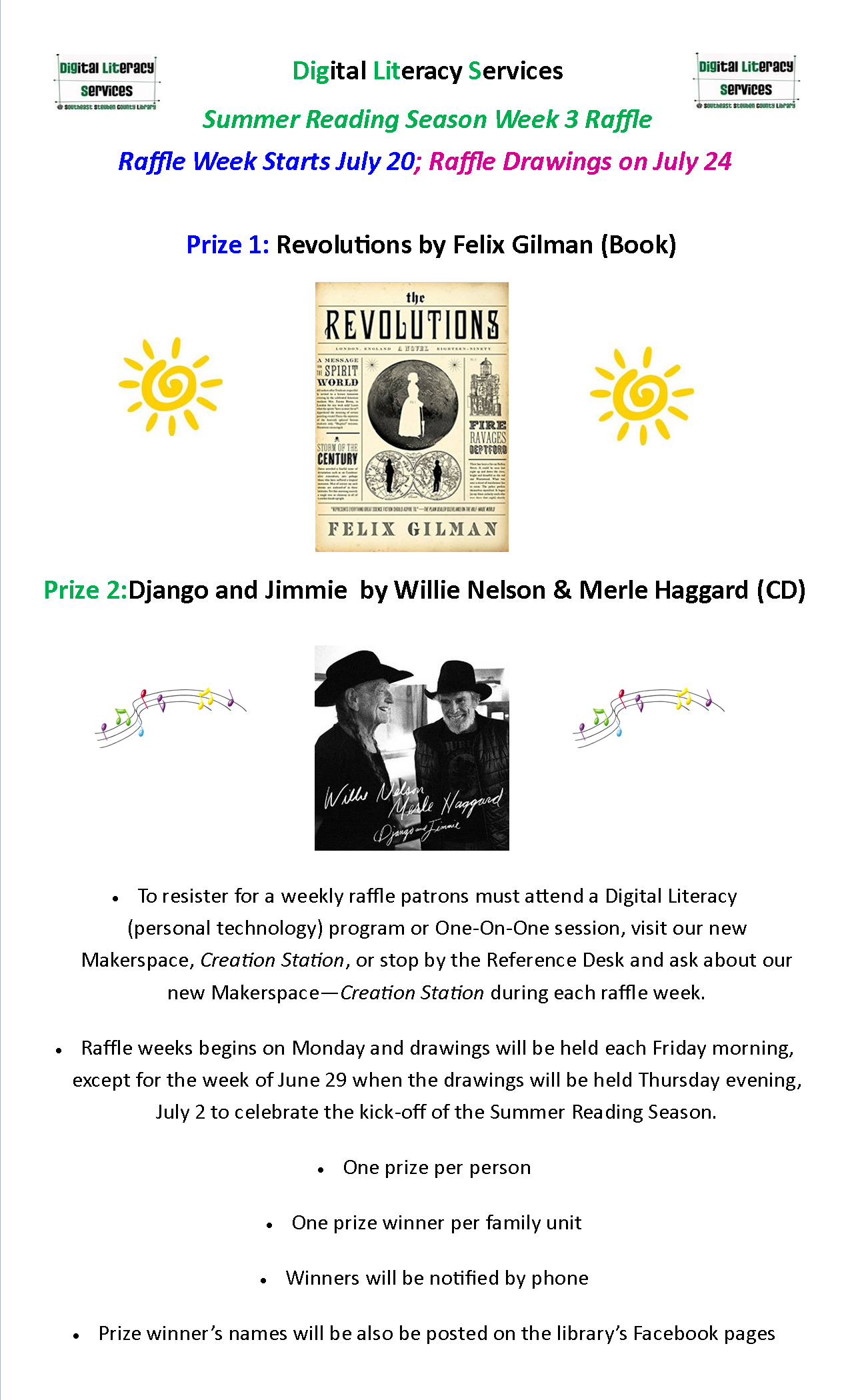
SSCL Dig Lit Summer Reading Program Season Raffle Week 3

Our Digital Literacy Services department is raffling off two prizes each week in honor of it being the Summer Reading Season, and, in celebration of the opening of the library’s new Makerspace — Creation Station!

You can fill out a raffle ticket, at the Reference Desk, by simply asking a staff member about Creation Station, by attending a Dig Lit program or a One-On-One session.

And if you’re interested in creating items — and that can be anything from crafts, to novels to 3 D printed projects — stop by our Creation Station Tuesdays between 1-4 p.m. and/or Thursdays between 5-8 p.m.

And if you have questions about Creation Station just ask us!

Have a great day!
Linda, SSCL

Dig Lit Summer Reading Raffle Poster Week 3 July 20, 2015

Southeast Steuben County Library Adult Services & Digital Literacy Programs Week of June 22, 2015

Tuesday, June 23, 2014:

Sticky Notes: a thematic book club: The first theme, for May 26th, will be “Beginnings.” Simply pick a book to read related to that theme in some way, fiction or non-fiction, any genre, then come tell the group about it – what it was about, what you liked, or didn’t like. Then we’ll vote on the next theme! Light refreshments served. For questions, call Michelle Wells at 607 936 3713 x 209 or email wellsm@stls.org

Sticky Notes is held the 4th Tuesday of the month @ 1 pm

3 D Printer Program: Jewelry: This program will include a brief 3 D Printer presentation and then attendees will modify select Jewelry templates from the Makerbot companion website Thingiverse to customize and print bracelets, necklaces & pendants.

Registration is required for this program. To register please call the library at 607-936-3713.

Note: Because the 3 D Printer Process takes a while – attendees will have to pick up their creations at a later date.

Time: 6:00 – 7:30 p.m.

Wednesday, June 24, 2015:

Exploring Excel Workshop: Join guest presenter DJ Dates; Assistant Professor in Computer & Information Science at Corning Community College and learn more about Microsoft Excel! This class will BUILD on the basics of Excel. Attendees will learn how to do Simple Functions, Loan Payment Function and Relative, Absolute & Mixed Cell Referencing. You will also create an Amortization Table and learn how to Link Data across Worksheets & Files!

Registration is required for this program. To register call the library at 607-936-3713.

Time: 2:00 pm – 4:00 pm

Thursday, June 25, 2015:

Computer Security & Privacy Workshop: Computer Science expert D. J. Dates will host this program. Workshop attendees will gain insight on how to safely travel around their computer and the Internet. D. J. will also discuss Encryption and Script Blocking!

Registration is required for this program. To register call the library at 607-936-3713.

Time:  1:00 pm – 3:00 pm

Evening Book Talk: Emerging from the Shadows: The Needs of Older Women and The Benefits of Supporting Them by Dr. Ron Hofsess: (TLOW) Trust in the Lives of Older Women- Did you know that women do roughly 2/3 of the work in the world, paid and volunteer, done by people over 60 years of age? And yet, as they age, they lose their support network. What issues do they face and what can we do to help them? Come find out.

Time: 7:00 – 8:00 pm

Corning Area Writer’s Group: Inject some socialization into your solo writing time by join the library’s Adult Creative Writers Group for conversation, inspiration and feedback on writing projects. No sign up is required. This group meets every Thursday from 6-8 pm. On the third Thursday of the month the group meets in the library. On the other Thursdays the group meets at Soul Full Cup CoffeeHouse.

For more information, please call Adult Services Director Michelle Wells at (607) 936-3713 ext 209 or email wellsm@stls.org.

Time: 6:00 – 8:00 pm

Saturday, June 27, 2015:

Quarterly Crafting: Choose among the multitude of materials and projects to make something crafty. As always, there will be veggies, pizza and dessert as well as relaxed conversation. Come create with us

Time: 4:00 – 6:00 pm

Monday – Friday: One-On-One Sessions: One-On-One personal technology assistance sessions are available at the library at variety of times through the week by appointment.

If you’ve purchased a new laptop, e-reader, smartphone or tablet and have questions about how to use it – give our Digital Literacy Service staff a call and we’ll set up a time for you to come in and meet with one of our specialist to learn the usage ropes of your device.

And if you have questions about how to use the Internet, how to send email, how to Skype, how to use software including: Microsoft Word, Microsoft PowerPoint, Microsoft Excel, iTunes or Windows Media Player likewise call us to make an appointment today.

One-On-One sessions are available for free! Just contact us in person at the library, by telephone at 607-936-3713 or by sending an email to us at: DIGLIT@STLS.ORG

Time: Appointments are available at a variety of times during library hours of operation. Call the library for the library for additional information.

All library programs are sponsored by the Friends of the Library, SSC.

Feedback Requested For Times & Subjects Of Personal Technology Programs @ The Library For The Fall/Winter 2015 Season

Even though it is only June 15 we are working on planning our personal technology programs for the fall/winter season.

And we’d like your help!

If you’re game please click on the following link and take short 3-page survey and let us know what time of the day is best for you to attend personal technology programs at the library and what personal technology subject you’d like us to cover!

You’ll also have the opportunity to join our weekly Adult Services & Personal Technology (AKA Digital Literacy) program of the week email list and then a listing of the program for the upcoming week will appear in your Inbox each Monday.

Here’s the link to the survey:

https://www.surveymonkey.com/r/Q6BVQ68

Thanks for your help!
Linda, SSCL

Personal Technology Stories You Might Have Missed January 12 – 23, 2015

Article 1: Presidential Speeches That Include References To Technological Innovation: The first recommend article is from the Washington Post and it takes a look back at past presidential speeches that mention “modern” technology as an innovative tool. The list includes a few lines from John Quincy Adams on the subject of the growing of railroad technology, moves on to note Andrew Jackson mentioning the innovative power of stream, Lincoln offering words on the subject of the first global communications technology – the telegraph and goes all the way forward to 2015 when President Obama mentioned Instagram in his 2015 State of the Union Address – history and technology mixed together – cool!

Here’s the link to the article:

http://www.washingtonpost.com/blogs/the-fix/wp/2015/01/21/the-first-mentions-of-technological-innovations-in-state-of-the-union-messages-catalogued/

Bump, Philip. (21 January, 2015). The first mentions of technological innovations in State of the Union messages, catalogued. The Washington Post. Online. Accessed January 22, 2015.

Article 2: Technology Has Not Made Life More Stressful: Article 2discusses how many people think that the modern technology has made life more stressful, when in fact many people find the new communications technologies to be stress relievers as they allow people to more easily connect with family and friends.

Here’s the link to the article

http://www.nytimes.com/2015/01/16/upshot/technology-has-made-life-different-but-not-necessarily-more-stressful.html?ref=technology&_r=0

Miller, Claire Cain. (15 January, 2015). Technology Has Made Life Different, but Not Necessarily More Stressful. The New York Times. Online. Accessed January 15, 2015.

Article 3: New Features of iOS 8: This article is for iPhone & iPad users who’d like to know more about the new features of Apple’s latest mobile software upgrade – iOS 8. The new features include the ability to ask Siri, Apple’s virtual assistant, questions hands free while your device is plugged in as it might be while you’re in a car, the ability to use third party keyboards and the option to ask Siri to identify a song that is playing. The article comes with a video review found at the following link:

http://www.nytimes.com/2015/01/15/technology/personaltech/tips-to-get-the-most-out-of-apple-ios-8.html

Wood, Molly. (14 January, 2015). Getting the Most Out of Apple iOS 8. The New York Times. Online. Accessed January 15, 2015.

Article 4: Fitness Trackers: This “article” is actually a funny video review of some of the most popular fitness trackers by the always fun Wall Street Journal Tech columnist Joanna Stern:

http://www.wsj.com/articles/review-best-fitness-trackers-to-get-you-up-off-the-couch-1418760813?mod=ST2

Stern, Joanna. (16 December, 2014). Review: Best Fitness Trackers to Get You Up Off The Couch. The Wall Street Journal. Online. Accessed January 13, 2015.

Article 5: The Basic Gist of The Term The Internet of Things:  If you’ve heard the term “The Internet of Things” and wondered what exactly that means – then this article is for you! Re/Code tech columnist Bonnie Cha offers an accessible explanation of just what that term means and how the technology is advancing in that integrated direction.

Here’s the link to the article:

http://recode.net/2015/01/15/a-beginners-guide-to-understanding-the-internet-of-things/

Cha, Bonnie. (15 January, 2015). A Beginner’s Guide to Understanding the Internet of Things. re/code. Online. Accessed January 15, 2015.

Article 6: Google Translate Update: Google Translate has recently had an update and this link is to a video that shows how you can now have a conversation with someone speaking another language by using the software:

http://www.cnet.com/videos/hold-conversations-using-google-translate/

How To Video: Hold conversations using Google Translate. CNET. Online. Accessed January 22, 2015.

Article 7: Windows 10 Is Coming In 2015! (And the Start Menu will return!): This BBC article offers some basic info on the new Windows 10 operating system that Microsoft will be unrolling later this year:

http://www.bbc.com/news/technology-30924022

Kelion, Leo. (21 January, 2015). Windows 10 to get ‘holographic’ headset and Cortana. BBC. Online. Accessed January 22, 2015.

Article 8: Windows 10 Holographic Headset: Windows 10 is being unveiled later this year along with a cool new holo headset that allows you to

http://www.theverge.com/2015/1/21/7867593/microsoft-announces-windows-holographic

Savov, Vlad. (21 January, 2015). Microsoft announces Windows Holographic with HoloLens headset. The Verge. Online. Accessed January 21, 2015.

Article 9: Microsoft Founder Bill Gates Will Be Guest Editor On The Verge Site In February:  Bill Gates will offer guest editorials on the tech site The Verge in February focusing on how technology will make the world a better place in the next 15 years:

http://www.theverge.com/2015/1/22/7870497/bill-gates-interview-future-verge-guest-editor

Patel, Nilay. (22 January, 2015). Bill Gates is guest-editing The Verge in February: Technology will build a better, safer, healthier world by 2030. The Verge. Online. Accessed January 22, 2015.

Article 10: HBO Standalone Web Service Coming In 2015: Sometime this year HBO will be rolling out a paid standalone subscription service so you won’t need a cable

http://recode.net/2015/01/22/will-hbo-on-the-web-pull-the-plug-on-pay-tv-survey-says-yep/

Kafka, Peter. (22 January, 2015). Will HBO on the Web Pull the Plug on Pay TV? Survey Says: Yep! re/code. Online. Accessed January 22, 2015.

Article 11: Amazon – Good For Readers or Not?  This “article” consists of a short article from NPR and a podcast of 50 minutes on the subject of whether or not Amazon’s e-book practices are good for readers. Essentially, the podcast offers a debate on the subject; on the pro side author Jon Konrath & Matthew Yglesias executive editor of vox.com, a digital news company, and on the con side Franklin Foer the former editor of The New Republic and author and lawyer Scott Turow.

Here’s the link:

http://www.npr.org/2015/01/22/378889431/debate-is-amazon-the-readers-friend

Debate Is Amazon The Reader’s Friend? NPR. Online. Accessed January 22, 2015.

Article 12: The Battle For Net Neutrality Goes On: And this last article is an NPR offering on the subject of just what will happen later this year when the FCC rules on Net Neutrality & how congress will influence this new rules.

Here’s the link:

http://www.npr.org/blogs/alltechconsidered/2015/01/21/378844286/critics-say-republican-net-neutrality-plan-strips-fcc-s-power

Rose, Joel. (21 January, 2015). The Battle Over Open-Internet Rules Shifts To Congress. NPR. Online. Accessed January 21, 2015.

And remember if you need assistance in learning how to use a new e-reader, tablet, computer or smartphone, or a new piece of software you can go to the library and get assistance for free!

Our Digital Literacy Services staff are happy to assist you in learning how to use hardware and software so contact us for a free one-on-one session today!

Give us call: 607-936-3713 or send an email to us at the following email address: DIGLIT@STLS.ORG

Tech Articles For Your Weekend Reading Pleasure Week Ending December 12

Article 1. An interesting Times’ article that focuses on how the use of technology can be used to help lessen income inequality

http://www.nytimes.com/2014/12/07/upshot/how-technology-could-help-fight-income-inequality.html?ref=technology&abt=0002&abg=0

Cowen, Tyler. (2014, December 6). How Technology Cold Help Fight Income Inequality. The New York Times. Online. Accessed December 6, 2014.

Article 2: A helpful re/code gift guide for those purchasing gifts for families that include young children – the gifts are mostly for young children although the lists includes a few items for the parents:

http://recode.net/2014/11/25/holiday-gift-guide-new-parents/

Boehret, Katherine. (2014, November 25). Holiday Gift Guide: Tech Relief for Parents of Young Children. re/code. Online. Accessed November 25, 2014.

Article 3. I found this article on the Quartz blog – Quartz is a blog owned by the Atlantic Publishing Group – the people behind The Atlantic magazine – and I thought this article was neat because it offers us a brief look at the divide between the U.S. where we collectively highly value technology and other parts of the world where the technology we value, and most of which is produced in the U.S., is seen in a more negative light as exemplified by the “Right to be Forgotten” issue which has been a huge bone of contention between European countries and Google – here’s the link to the article:

http://qz.com/303947/us-cultural-imperialism-has-a-new-name-gafa/

Chibber, Kabir. (1 December, 2014). American cultural imperialism has a new name: GAFA. qz. Online. Accessed December 2, 2014.

Article 4: This article is from the La Prensa (The Press) site and it discusses how a group of students at the U. S. C. Annenberg School for Communication and Journalism had a 15 week software production (aka Hackathon) session where the developed new software applications for Google Glass. The session was overseen by Web Journalism Professor Robert Hernandez.

Here’s the link to the article:

http://www.laprensasa.com/309_america-in-english/2825693_students-develop-google-glass-app-that-gives-users-encyclopedic-knowledge.html

And a link to the U. S. C. Annenberg School for Communication and Journalism’s website in case anyone wants to check that site out to learn more:

http://www.glassjournalism.io/

Students develop Google Glass app that gives users encyclopedic knowledge. La Prensa. Online. Accessed December 4, 2014.

Article 5: Article 5 offers info on the second Sony hack in recent weeks:

http://recode.net/2014/12/08/hackers-hit-sony-again/

Hesseldahl, Arik. (2014, December 8). Hackers Hit Sony, Again. re/code. Online. Accessed December 8, 2014.

Article 6: This article discusses how & why many people under the age of 30 expect that they can view and listen to digital content for free:

http://www.nytimes.com/2014/12/08/technology/grappling-with-the-culture-of-free-in-napsters-aftermath.html?ref=technology

Grappling With the ‘Culture of Free’ in Napster’s Aftermath. New York Times. Online. Accessed December 8, 2014.

Article 7. Another cool re/code gift guide – this one focuses on the gadgets you might buy to please the combo tech and fitness people on your gift list:

http://recode.net/2014/11/25/holiday-gift-guide-active-people/

Goode, Lauren. (2014, November 25). Holiday Gift Guide: Gadgets for Fitness Freaks. re/code. Online. Accessed December 10, 2014,.

Article 8. This week T-Mobile launched a new and cheaper family plan that allows you to have two lines with unlimited date for only $100 per month!

Here’s the link:

http://www.theverge.com/2014/12/9/7362629/t-mobile-100-two-line-unlimited-family-plan

Seifert, Dan. (2014, December 9). T-Mobile launches $100 two-line family plan with unlimited data. The Verge. Online. Accessed December 9, 2014.

Article 9. If you have an Amazon Prime membership and i you purchased a new 4 K TV in 2014 then you might want to check out this article because Amazon has just updated its software so that you can access 4 K content from the Amazon Instant Video Store!

 http://www.cnet.com/news/amazon-starts-4k-uhd-streams/

Katzmaier, David. (2014, December 12). Amazon 4K streams start (updated with hands-on). cnet. Online. Accessed December 12, 2014.

Article 10. And yet another sign of the fact that we live in a high tech era – The State of Iowa will soon put out a new app that will allow residents to keep their official drivers’ license – on their smartphone!

http://www.npr.org/blogs/thetwo-way/2014/12/12/370359601/coming-soon-to-iowa-drivers-license-on-a-smartphone-app

Calamur, Krishnadev. (2014, December 12). Coming Soon To Iowa: Driver’s License On A Smartphone App. NPR. Online. Accessed December 12, 2014.

Article 11. Here’s a tech column from the New York Times that offers info on just why Windows computers keep doing those annoying updates, and, what type of scanning & virus protection software you might use on a Mac:

http://www.nytimes.com/2014/12/11/technology/personaltech/keeping-up-with-windows-update.html?ref=technology&_r=0

Biersdorfer, J. D. (2014, December 10). Keeping Up With Windows Update/Scanning A Mac. The New York Times. Online. Accessed December 12, 2014.

Article 12: And if you like cooking and technology checkout this cool NPR article that discusses a new high tech pan!

ttp://www.npr.org/blogs/alltechconsidered/2014/12/03/367995538/weekly-innovation-a-smart-pan-that-helps-you-cook-like-a-chef

Ralphelson, Samantha.(2014, December 3). Weekly Innovation: A Smart Pan That Helps You Cook Like A Chef. Online. Accessed December 8, 2014.


Tech Stories For Your Weekend Reading Pleasure: Week of 11/17 – 11/21/2014

Hi everyone, the library is closed tomorrow, Friday, November 21, 2014 for a combo Staff Development and Library Rug Cleaning day; thus my list of personal technology related stories you might have missed this week is coming to you a bit early!

Here is a list of seven interesting personal technology related articles you might have missed during the week of 11/17 – 11/21/2014.

Article 1. The Creation of Artificial Retinas: In a collaborative effort researchers at the Hebrew University of Jerusalem’ Center for Nanoscience and Nanotechnology and Newcastle University in Britain are have created and are testing artificial retina films. This technology when perfected should allow persons who have lost their sight due to macular degeneration to regain vision!

Here’s a link to a Business Standard article on the subject:

http://www.business-standard.com/article/news-ians/artificial-retina-could-help-restore-vision-of-elderly-114111300902_1.html

Artificial retina could help restore vision of elderly. (2014, November 13). Business Standard. Online.

Article 2. The Right To Be Forgotten Vs. Google: In Europe there has been a major league, and ongoing flap and court case, over the amount of information Google, and other online companies, compile and keep versus the rights of persons to have their personal information deleted from Internet – basically for them to be forgotten as far as the online records goes.

The Guardian offers and interesting story that sheds light on this complicated and controversial subject – here’s the link:

http://www.theguardian.com/technology/2014/nov/11/right-to-be-forgotten-more-questions-than-answers-google

Floridi, Luciano. (11 November, 2014). Right to be forgotten poses more questions than answers. The Guardian. Online. Accessed November 17, 2014.

Article 3. The Bullying Of Women Online: NPR offered an article this week on the problem of women being bullied in online forums – here’s the link:

http://www.npr.org/2014/11/16/364479377/why-women-get-the-worst-of-internet-bullying

Why Women Get The Worst Of Internet Bullying. (16 November, 2014). NPR. Online. Accessed November 17, 2014.

Article 4. iCloud Guide: Re/Code offered a neat how-to use Apple’s iCloud feature to store photos this week – here’s the link:

http://recode.net/2014/11/19/apples-icloud-photo-library-a-quick-how-to-guide/

Boehret, Katherine. (19 November, 2014). Apple’s iCloud Library: A Quick-To Guide. re/code.Online. Accessed November 19, 2014.

Article 5. Libraries In The Digital Age: The Rochester Democrat & Chronicle featured a cool article this week on just how public libraries have changed in our modern high tech age – and they are right! As some who started working in the public library field in 1984; I concur with the assessment that public libraries today offer books and a great deal more– with a large slice of that great deal more being personal technology related materials and services.

Here’s a link to the RD&C article:

http://www.democratandchronicle.com/story/news/2014/10/25/libraries-competing-digital-age/17897503/

McDermott, Meaghan. (25 October, 2014). How libraries are competing in the digital age. Democrat & Chronicle. Onlie. Accessed November 19, 2014.

Article 6. Samsung Launches New Milk Video Service For Galaxy Phone Users: Samsung launched a new video service this week for Galaxy phone users. This new service is free and helps Galaxy phone users more easily find popular online videos.

Here’s a link to a CNET story on the subject:

http://www.cnet.com/news/samsung-dives-into-video-with-milk-video-but-only-for-galaxy-phone-users/

Tibken, Shara., & Solsman, Joan. (19 November, 2014).Samsung aims for a splash with Milk Video — but only for Galaxy phone users

Article 7. Texting Can Be Dangerous To Your Spine: NPR also offered a story this week on the amount of pressure your spine endures when you lean forward to read, send and type text messages. And I think we better all hold our heads up higher when we text!

Here’s a link to the article:

http://www.npr.org/blogs/thetwo-way/2014/11/20/365473750/keep-your-head-up-text-neck-can-take-a-toll-on-the-spine

Sullivan, Laura. (20 November, 2014). Keep Your Head Up: ‘Text Neck’ Takes A Toll On The Spine. NPR. Online. Accessed November 20, 2014.

And in case anyone is wondering — the library will indeed be open our normal hours of operation on Saturday, November 22, 2014 of 10 a.m. to 4 p.m. — come and see us!

Have a great weekend!

Linda, SSCL

If You’ve Got Amazon Prime — You Now Have Access To A New Streaming Music Service!

For anyone who isn’t familiar with Amazon Prime – it a service Amazon offers customers for $99 a year; and it includes free 2nd shipping on items purchased from Amazon, free access to Amazon’s Instant Video Library, one free read of an e-book from Amazon’s Lending Library per month and now free access to the brand new Amazon Prime Music Service. Prime Music looks like its going to be similar to Pandora sans the ads.

Here’s a link to a LA Times article on the new Prime Music Service:

http://www.latimes.com/business/technology/la-fi-tn-amazon-prime-music-service-20140611-story.html

And one that takes you directly to the Amazon Prime Music page:

http://www.amazon.com/b/ref=sa_menu_prime_music?ie=UTF8&node=8335758011

And as soon as I have a chance to really check out the Amazon Prime Music Service, which seems to have launched today, I’ll post an update on this blog.

Have a great day!

Linda R.

P.S. Don’t forget we offer free digital literacy assistance by appointment at the library! So if you have a new e-reader, laptop, smartphone or other tech device and are wondering how to use it — call us today to make an appointment — it is free! You can make appointments in person at the library, by phone – Tel: 607-936-3713 and via email: DIGLIT@STLS.ORG